Sending Messages
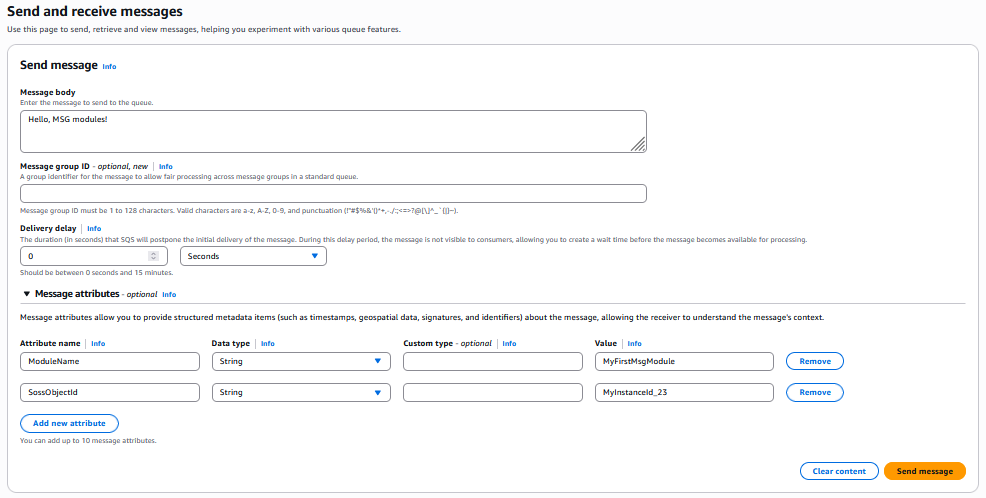
Once the SQS connection has been created, you can use any supported SQS client tool or application to send a message to the queue which will be recieved by the MSG module. Messages sent to an SQS queue for MSG modules require two message attributes:
ModuleNameThis attribute indicates to the SQS connection which MSG module the message should be routed too.
SossObjectIdThis attribute indicates to the SQS connection which SOSS object the message should be routed too.
For example, the following example shows how to send a message to the MSG module, “MyFirstMsgModule”, which will be routed to the SOSS object identified as “MyInstanceId_23” through the AWS SQS Management UI:
Note
The payload needs to be a serialized message that can be deserialized by the module.