Database Configuration
Default configuration
Each Active Caching Web Service instance starts with SQLite as the preconfigured database provider. To switch to a different database provider, such as Microsoft SQL Server or PostgreSQL, an administrator should log in to the Active Caching UI and initiate the switch from the Database Configuration section of the Settings page.
The database configuration is stored in the appsettings.windows.json file on Windows or the appsettings.linux.json file on Linux. For a single-host installation, SQLite is used as the default database provider. The following example shows the DatabaseConfiguration section of the appsettings.windows.json file:
  "DatabaseConfiguration": {
    "Provider": "SQLite", // all options: "SQLite", "MSSQL", "PostgreSQL"
    "ACDatabase": {
      "ConnectionString": "Data Source=C:\\ProgramData\\ScaleOut Software\\WebService.Api\\soss_activecaching_web.db;Mode=ReadWriteCreate"
    },
    "ISDatabase": {
      "ConnectionString": "Data Source=C:\\ProgramData\\ScaleOut Software\\WebService.Api\\scaleout_identityservice.db;Mode=ReadWriteCreate"
    },
    "Stamp": "209272776bea43b68380f891023cd0cc"
  },
On Windows, the appsettings.windows.json file is located in the following folder:
C:Program Files\ScaleOut_Software\StateServer\ActiveCachingWebUI\WebService.Api
On Linux, the appsettings.linux.json file is located in the following folder:
/usr/lib/soss-ac/soss-ac-web.
Switching Database Provider
Active Caching supports three database providers: Microsoft SQL Server, PostgreSQL, and SQLite. To select a different database provider, log in to the Active Caching UI, go to Settings, and click the Database Configuration panel.
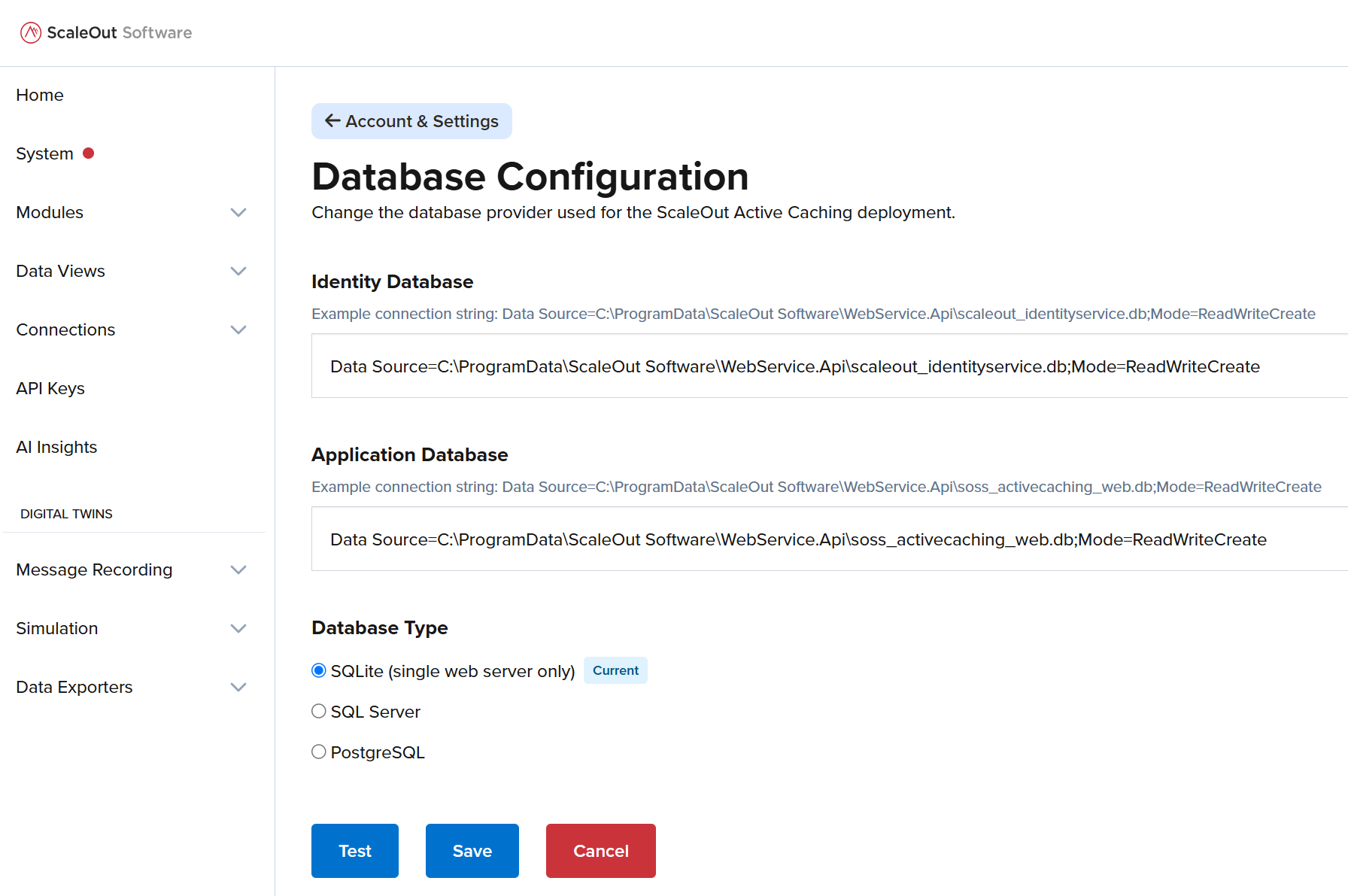
For more information on using this screen, see the Database Configuration section in the UI Guide.
Distributed Deployment
If you plan to install the ScaleOut Active Caching Web Service on multiple servers, you should use either Microsoft SQL Server or PostgreSQL as the database provider. By default, the ScaleOut Active Caching Web Service is installed on every ScaleOut StateServer (SOSS) host, but the service is not started automatically.
The following steps describe the recommended database configuration process for a multi-host Active Caching deployment behind a load balancer, assuming that you have already configured a multi-host SOSS cluster:
Start the ScaleOut StateServer Active Caching Web Console service (the soss-ac-web service on Windows or the soss-ac-web daemon on Linux) on the first SOSS host in the cluster.
Switch the database provider to either Microsoft SQL Server or PostgreSQL. The new database configuration will be stored in the SOSS in-memory data grid, in addition to being saved locally in the appsettings.{windows|linux}.json file.
Start the Active Caching Web Service on every other host in the cluster. The database configuration will be automatically retrieved from the data grid and applied to each additional host. The configuration will also be saved locally on each host under the DatabaseConfiguration section of the appsettings.{windows|linux}.json file.
Note
When the Active Caching service starts on an additional Active Caching host while SQLite is configured as the database provider on the first host, the Active Caching UI will display the following error when the user attempts to log in: “A SQLite database configuration was detected, but the database is not located on the current server. Only a single Active Caching web server can be used with a SQLite database provider”.